Resources
Here’s what’s happening in the world of business and IT skills training.
Check out our blog and news page for the latest news from the Future Savvy team!

Most read
- How to Remove Time from Date in Excel
- Can you Calculate Variance Using Excel?
- How to Calculate Age in Excel: DATEDIF Formula and Examples
- Step-by-Step Guide: Automating Teams Meeting Summaries with Copilot
- How to Password Protect Excel & Hide a Single Column
- Troubleshooting Guide: How to Fix Common Issues Preventing Copilot Access in M365 Apps
 Tips & Tricks
How to Calculate CAGR Growth in Excel
In this article, we look at how compound annual growth rate (CAGR) as the “average speed” at which an investment or business metric grows over time, smoothing out year-to-year volatility. It walks through the manual CAGR formula— (Ending Value / Beginning Value)^(1/Years) − 1 —then demonstrates four Excel-based methods to automate the calculation: the direct formula, RRI, POWER, and RATE functions.
 Tips & Tricks
How to Calculate Compound Interest in Excel
Build a simple Excel calculator to forecast investment growth with compound interest.
 Tips & Tricks
Copilot Prompts Cheat Sheet: 34 Prompts for Outlook, Word, Excel, PowerPoint and Teams
Thirty-four Microsoft 365 Copilot prompts that work, grouped by app: Outlook, Word, Excel, PowerPoint, Teams meetings and Copilot Chat across your files and mail, plus the follow-up prompts that fix a weak first answer. Each has a note on what to change for your own case and the mistake that gets a vague result. Copy from the page or download the printable PDF. No sign-up.
 Tips & Tricks
DAX Cheat Sheet: 32 Measures With Examples
Thirty-two DAX measures with the formula and the mistake people make with each: the base aggregations, iterators, CALCULATE with every flavour of ALL, time intelligence from year-to-date to rolling twelve months, inactive relationships, variables and SWITCH. Read it on the page, copy any measure, or download the two-page printable PDF. No sign-up.
 Tips & Tricks
SQL Cheat Sheet: 40 Queries With Examples
Forty SQL queries with the syntax and the mistake people make with each: selecting and filtering, GROUP BY and HAVING, inner, left and anti joins, subqueries and CTEs, CASE, text and date functions, window functions, and how to change data without wrecking it. Written for SQL Server, works almost unchanged elsewhere. Read it on the page, copy any query, or download the printable PDF. No sign-up.
 Tips & Tricks
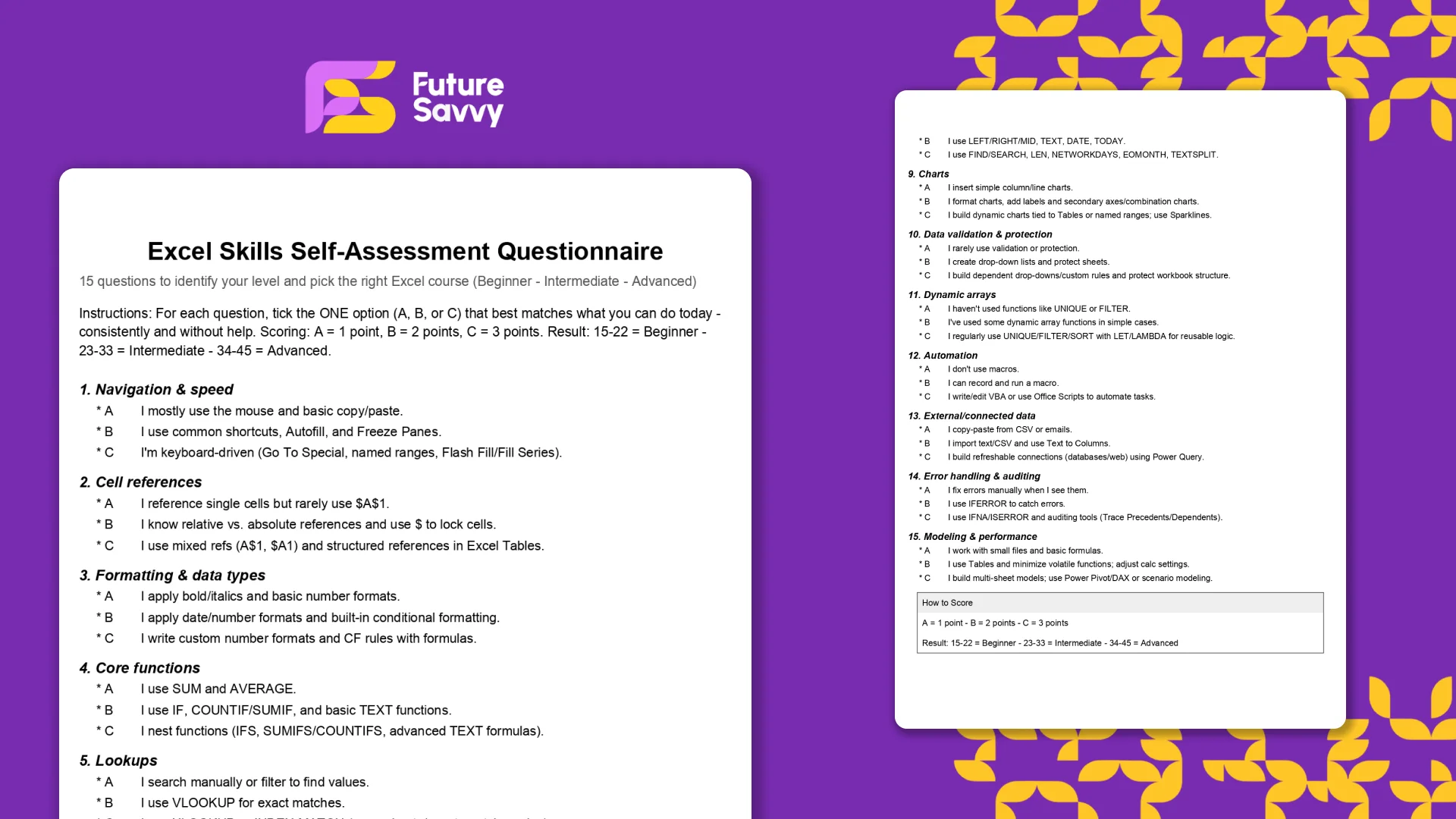
Excel Skills Self-Assessment Questionnaire
This free, printable Excel Skills Self-Assessment helps you quickly gauge your level and pick the right next step in your learning path. It contains 15 multiple-choice questions spanning navigation, formulas, lookups, tables, PivotTables, charts, dynamic arrays, Power Query, and more. You’ll score yourself and interpret the result to see whether you’re Beginner, Intermediate, or Advanced - then follow tailored course recommendations based on your score.
 Tips & Tricks
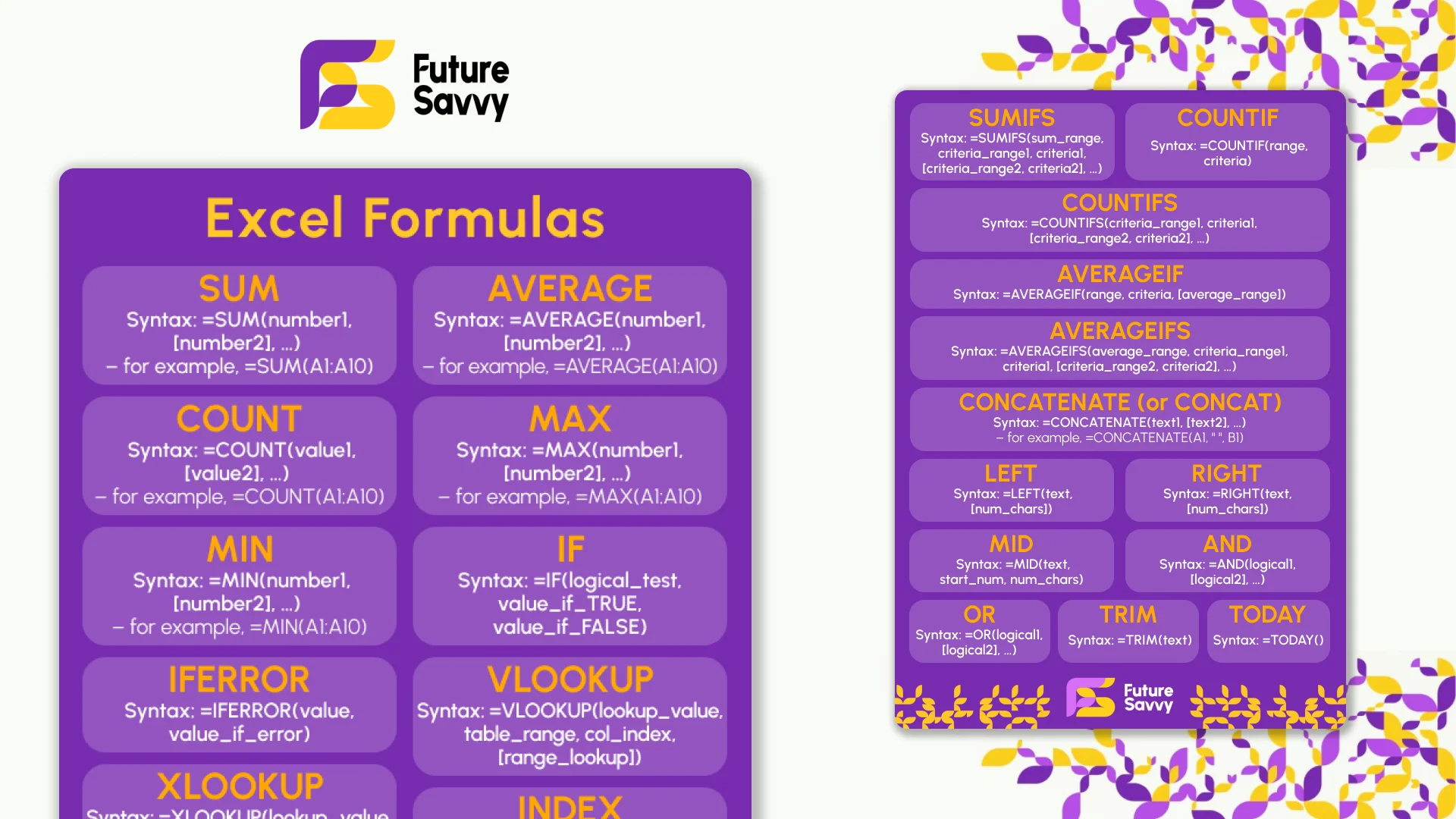
Excel Formulas Cheat Sheet: 34 Formulas With Examples
Thirty-four Excel formulas with the syntax, a worked example and the mistake people make with each: SUM to SUBTOTAL, IF and IFS, XLOOKUP and INDEX-MATCH, SUMIFS and COUNTIFS, the text and date functions, and the dynamic array functions in Excel 365. Read it on the page, copy any formula, or download the two-page printable PDF. No sign-up.
 Tips & Tricks
Calculate Age from Date of Birth in Excel: Free Staff-List Exercise
Download a staff-list workbook and practise calculating age from a date of birth with DATEDIF, a fixed reporting date and checks for blanks, future dates and leap-day birthdays.
 Tips & Tricks
Power Query: Clean Messy Data in Excel Without a Single Formula
Clean a genuinely messy Excel export with Power Query: strip junk rows, standardise text, fix data types, then refresh next month's file in one click. No formulas.
Insights for modern teams
Stay ahead with our latest learning trends, tools, and success stories. Enter your email address below to receive updates from us.