- TIPS & TRICKS/
- Top AI Skills for 2026 /
- TIPS & TRICKS/
- Top AI Skills for 2026 /
Top AI Skills for 2026
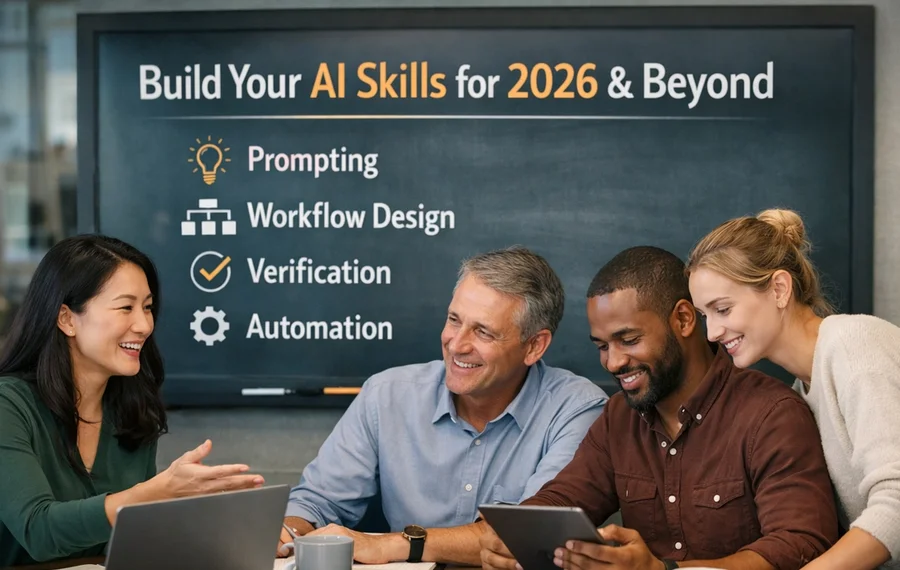
AI has quietly moved from “experimental tech” to everyday toolkit. In many offices it now sits alongside email and spreadsheets: drafting reports, summarising meetings, analysing documents, and even suggesting code. That shift changes what makes you valuable at work. It is no longer about whether your job title includes “AI”, but whether you can use these tools to produce better results.
Executives across sectors are already hiring on this basis. As one CEO put it, “prompt engineering is becoming as essential as Excel was in the 2000s” – a shorthand for the wider expectation that professionals can structure problems for AI and critically improve its output, not just know their job description.
This article focuses on AI skills that cut across roles and sectors. Instead of guessing which job labels will be hot in 2026, we will look at capabilities any professional can build to:
- work faster without cutting corners
- improve accuracy and consistency
- turn messy information into clear decisions
Many people feel stuck between hype and anxiety: unsure which buzzwords matter, worried about backing the wrong platform, or feeling that “everyone is building the same chatbot” so nothing they do will stand out. Large employers are feeling the same pressure: some, like JPMorgan Chase, are retraining tens of thousands of staff so AI becomes part of everyday workflows rather than a niche expertise.
The answer is to focus less on specific tools and more on how you use them. Research on AI‑exposed jobs suggests that roles change fastest where people can adapt their skills and treat AI as a co‑worker rather than a threat, and that is something individuals can actively learn and practise.
Here, “AI skills” means two things working together:
- practical ways of using AI in your day‑to‑day tasks (from prompting to workflow design)
- the human judgement, communication, and ethics that turn raw AI output into trustworthy work
Think of it as a stack of 10 skills that blend technical fluency, practical workflow know‑how, and distinctively human strengths. Build this stack, and you stay employable in 2026 and beyond, whatever your job title happens to be.
Prompting and Context Design
Prompting is the “user interface” to AI. In 2026, employers will care less about fancy model names and more about who can turn vague tasks into clear instructions the system can actually follow. As one strategist puts it, “prompting is a conversation… not just following a technical process like you’re checking boxes” – the value comes from how well you can brief the system and refine its output.
In practice, this means:
- Defining goals, constraints, tone, format, and success criteria.
- Supplying rich context: briefs, style guides, examples, and reference data.
- Iterating: asking the AI to draft, then critique, then improve.
This is increasingly treated as a core workplace capability rather than a niche “hack”; several large employers now train staff explicitly on how to construct good prompts with frameworks, examples, and constraints, before they move on to more advanced AI skills, and even describe prompt libraries as a source of advantage in knowledge-heavy roles.
At work it looks like:
- Marketing: reusable prompt templates for campaign ideas, content calendars, blog drafts, and customer personas that match brand voice.
- Operations: structured prompts that turn messy meeting notes into step‑by‑step checklists or standard operating procedures.
- Admin and customer‑facing roles: turning long email threads into concise replies, summaries, and FAQs with clear rules on what to escalate.
Why employers care:
- Strong prompts can lift the quality of reports, emails, and analysis significantly while cutting drafting time; in some settings, better prompting has been shown to close much of the gap between average and top performers.
- The skill is visible: you can show before/after outputs, prompt libraries, and playbooks during hiring or internal reviews, which aligns with how recruiters now probe for hands‑on AI use and concrete examples of work improved with these tools.
- It is one of the few AI skills that travels across sectors, from finance and professional services to customer support, where job adverts increasingly list “AI fluency” or prompt skills alongside traditional software competencies.
Key takeaway: People who can design context‑rich prompts become the “AI power users” every team quietly relies on, especially as organisations shift towards skills‑first hiring and expect staff to integrate AI into everyday workflows.
Entry-Level and Early-Career Workers
At the start of your career, the goal is to show you can use AI reliably, not that you are an expert. Strong prompting, clear context, and basic verification already set you apart, because they turn “asking a chatbot a question” into useful, repeatable work.
As JPMorgan’s AI leaders put it, step one is understanding “what AI large language models do and not do”, and then learning how to construct good prompts with clear frameworks and constraints so output is safe enough for real work in a regulated environment. Their decision to train more than 300,000 employees in these basics underlines how valuable even “foundational” AI fluency has become in entry‑level roles.
Focus on:
- Writing precise prompts with objectives, constraints, and examples – tech executives repeatedly highlight “knowing how to ask the right questions” as half the battle for AI‑era workers.
- Treating AI as a junior assistant: always check facts, numbers, and references, much as you would review a junior colleague’s draft.
- Building small automations that shave minutes off repetitive admin, research, or reporting; PwC’s Global AI Jobs Barometer links this kind of AI‑enabled productivity to faster wage and skill growth in AI‑exposed roles.
- Showing you learn continuously and refine your own prompt “playbook”, rather than relying on one‑off tricks.
On a CV or portfolio, this comes to life through concrete outcomes, for example:
- “Cut report drafting time by 30% using AI‑generated templates and summaries.”
- “Automated initial market scan for new clients, reducing manual research from 2 hours to 20 minutes.”
Business leaders are already probing for this kind of evidence: recruiters surveyed by LinkedIn and Business Insider report that a common interview question is simply, “How have you used AI for work or at home within the past year?”, looking for hands‑on, verifiable examples rather than buzzwords.
These skills are relevant in any entry role - from customer support to finance- because they improve speed and reliability without replacing core training in the job itself. Research across sectors suggests the real displacement risk is not “AI replacing humans” but AI‑literate humans outpacing those who refuse to use the tools at all.
Mid-Level Professionals and Specialists
By mid‑career, your value lies in connecting AI to business outcomes. You are expected to design smarter workflows, not just individual prompts. This mirrors what large employers such as JPMorgan and PwC describe as the shift from casual tool use to orchestrating end‑to‑end, AI‑supported processes that move real metrics.
Core focus areas:
- Turning ad hoc AI use into workflows and light automations for your team, so improvements are reliable and repeatable rather than one‑offs.
- Framing problems in business terms so AI efforts clearly support KPIs; HR and talent leaders highlighted in one stress that the scarce skill is *translating* AI insights into concrete decisions on performance, staffing, or training.
- Sharing prompts, checklists, and better practices so colleagues benefit too, effectively acting as an internal “AI multiplier” for your function.
Strong signals for your CV, performance review, or portfolio include:
- “Used AI‑assisted analysis to identify churn risks, contributing to a 10% improvement in retention.”
- “Designed and maintained an AI‑supported reporting process, cutting monthly cycle time by half while improving data accuracy.”
Executives interviewed about AI‑era skills consistently say they look for people who combine domain expertise with this kind of workflow thinking. In one cross‑industry survey, senior leaders described the most valuable employees as those who can spot high‑value AI use cases, design simple implementations, and then communicate results in plain business language. That combination of orchestration, measurement, and storytelling is what turns “I use ChatGPT” into visible commercial impact.
Here, AI skills and domain expertise reinforce each other: your understanding of customers, regulations, or operations is what makes the AI workflow valuable. As analyst Michael Schopf argues in the investment industry, “human + AI beats either alone” when professionals treat models as a tireless junior analyst and use their own judgement to upgrade drafts into decision‑ready work.
Managers and Leaders
For managers, the priority shifts to direction, safety, and culture. You do not need to be the best prompt writer in the room, but you do need to steer responsible, effective adoption. Large employers investing heavily in AI stress that value does not come from handing out tools alone; it comes from leaders who can guide teams through change and keep humans accountable for outcomes.
Key areas:
- Understanding risk, data privacy, and governance well enough to set boundaries and escalate issues. Financial services and professional bodies such as the CFA Institute emphasise that “access trumps knowledge” only when staff also know when to verify outputs, protect client data, and keep humans in the loop.
- Leading lightweight change: pilots, clear guidelines, and feedback loops rather than grand, one‑off rollouts. Research from PwC’s Global AI Jobs Barometer suggests sectors that pair experimentation with sustained skills investment see far higher productivity gains from AI than those that implement tools without upskilling.
- Coaching teams on core skills (prompting, verification, automation) and creating space for measured experimentation, including time to document winning workflows and guardrails.
Useful signals to highlight:
- “Guided a cross‑functional team through adopting AI‑assisted workflows, cutting turnaround time by 25% while meeting compliance requirements.”
- “Co‑created and implemented an AI use policy covering data handling, verification steps, and escalation routes.”
Across all levels, the pattern is the same:
- Start from effective use and verification.
- Layer on automation, collaboration, and governance as your responsibility grows.
- Treat AI as a multiplier of your domain expertise, not a substitute for it.
Getting Started: Building Your Own AI Skills Roadmap
Begin with the job you already have, not the one you might have in five years. The most valuable AI skills grow from solving your current problems more reliably and efficiently. As JPMorgan’s firmwide AI training lead puts it, value comes when “the technology is in employees’ hands - with change management and training -so they are best positioned to innovate and put it to good use”, not from abstract theory.
1. Start with your current role
- List 3–5 recurring tasks where AI could help: drafting emails, reports or slide decks; research and analysis; data cleaning; meeting notes; admin. This is exactly the kind of “real work context” employers now probe for when they ask candidates how they have used AI in the past year, and it aligns with what tech leaders describe as practical AI fluency rather than niche expertise
- Use these as a test bed for better prompting, research support, and basic verification. Treat AI as a junior assistant whose work you always double‑check – a mindset echoed in research showing that prompt and evaluation skills are becoming as fundamental as spreadsheets once were.
2. Add structure over time
Save successful prompts as templates; turn multi‑step tasks into simple workflows or checklists. AI strategists working with large organisations stress that the real productivity gains come when individuals stop thinking in terms of one‑off prompts and start building reusable systems and playbooks around recurring tasks. Keep a light record of:
- time saved
- error reductions
- improvements in clarity or depth
This kind of basic measurement is increasingly what hiring managers and line leaders look for when they assess whether someone is “AI‑proficient” in performance reviews and promotion discussions.
3. Stay grounded
- Align experiments with employer priorities: reliability, privacy, and measurable business outcomes. Surveys of global executives repeatedly show that AI skills are most prized when they are tied to real impact on cost, risk, or customer value rather than experimental tinkering.
- Add new tools gradually; deepen a handful of core skills (prompting, research, evaluation, workflow design, responsible use) instead of chasing every trend. Large‑scale analyses of AI‑exposed jobs suggest that workers who can embed a small set of durable AI capabilities into their day‑to‑day work enjoy faster productivity growth and a wage premium, even as specific tools change around them.
Future‑Proofing by Stacking Skills, Not Chasing Hype
The safest way to stay employable into 2026 is to build a stack of practical AI skills, not chase the latest job title. That stack looks like:
- Using AI effectively (clear prompts, rich context)
- Verifying rigorously (fact‑checking, guardrails, judgement)
- Embedding it into workflows (templates, light automation, simple agents)
- Working responsibly (data hygiene, privacy, governance)
- Doubling down on human strengths (creativity, critical thinking, communication)
This is exactly where senior leaders are already placing their bets. JPMorgan, for example, is training more than 300,000 employees in practical skills like prompt construction, AI‑assisted research, and “maker/checker” workflows rather than narrow AI job titles, emphasising that “training needs are varied, just like AI applications” across the firm’s roles.
Likewise, PwC’s analysis of 500 million job adverts finds that roles using AI tools are seeing skills requirements change 25% faster and attracting wage premiums of up to 25%, particularly where workers can integrate AI into day‑to‑day tasks and still apply strong human judgement.
Executives are blunt about what this means. Cognizant’s CEO Ravi Kumar argues that “deep expertise will be less valued” than people who combine domain knowledge with broad, adaptable AI fluency. CFA Institute research reaches a similar conclusion: the real differentiator is “learnership” – using AI to learn faster, continually update your skills, and critically evaluate what the models produce, not memorising one tool or framework.
Tools will keep shifting, but these 10 skills make you adaptable whatever changes next. Pick one or two to focus on this month, apply them to real tasks, and track the impact. Then layer on the next skill. Over time, that stack becomes your real competitive edge.
Contact us today to find our how developing key AI skills can take you and your team to the next level!
Next available dates
Copilot for Business
Live, instructor-led training with a real trainer. Book a seat on a scheduled date below, or get a quote for your team to run it privately.
2 Dec 2026
Wednesday · Virtual · 1 day
£475per person + VAT
25 Feb 2027
Thursday · Virtual · 1 day
£475per person + VAT
22 Apr 2027
Thursday · Virtual · 1 day
£475per person + VAT
Other courses related to this article
- Microsoft Power BIPower BI IntroductionThis 2-day introduction to Power BI gives beginners the confidence to analyse business data and build clear, effective visual reports. With hands-on guidance, you’ll learn practical skills using real-life data, quickly becoming comfortable with core Power BI functions that make work easier and more insightful.2 Days · Classroom or on-site
- Microsoft ExcelExcel IntermediateEnhance your Excel proficiency in just one day with this Intermediate course. Ideal for users who are comfortable with the basics, you’ll focus on practical features that improve data analysis, formula use, and reporting efficiency. Gain greater confidence working with your organisation’s essential data.1 Day · Classroom or on-site
Ready to train your team?
Tell us what you need and we'll come back to you with a detailed quote.
- Tailored contentBuilt around your team's work and skill levels.
- Flexible schedulingDates and times that suit your team, not ours.
- Your place or onlineDelivered at your office or virtually.
- Better value per headOne trainer, one day, your whole team.
- A dedicated trainerYour team gets all of the trainer's attention.
- Realistic examplesSample data built around the kind of work your team does.
We reply with available dates and a price for your team. No obligation.
Frequently Asked Questions (FAQ)
Prompting, verification, workflow design, automation, and responsible AI use.
No. These skills apply across functions, from admin and marketing to finance and operations.
Clear examples of how you used AI to save time, improve quality, or support better decisions.
Begin with your current tasks, test AI on repeat work, and track the results.
Related Articles
 L&D Insights
AI for Managers: A Guide
AI is moving into everyday management work, and the biggest constraint is no longer access to tools - it’s the lack of clear use cases, norms, and guardrails. The article shows managers how to translate executive AI ambition into practical team workflows with defined decision rights, human-in-the-loop checks, and a paced rollout. It also explains how to protect learning, update coaching and performance practices, and build a transparent culture where AI reduces busywork without eroding trust.
 Tips & Tricks
AI in Cybersecurity: Where It Helps, Where It Hurts, and How to Use It Safely
AI is now central to cybersecurity because it can triage overwhelming alert volumes, speed investigations, and surface weak signals humans miss. But the same capabilities are powering more convincing phishing, deepfake-enabled fraud, agentic attacks, and new risks like prompt injection and model supply-chain compromise. The safest path is tightly scoped use cases with human approval for high-impact actions, plus strong identity controls, data boundaries, continuous monitoring, and testing.
 Tips & Tricks
How to Use AI as a Tutor: Prompts and Habits That Actually Improve Learning
This article explains how students can use AI as a tutor to deepen understanding rather than simply copy answers. It shows practical ways to use AI for step-by-step explanations, checking work, personalised practice, and short study sprints while keeping critical thinking at the centre. It also stresses the importance of verification, honesty, teacher guidance, and healthy study habits so AI supports learning instead of replacing it.
Insights for modern teams
Stay ahead with our latest learning trends, tools, and success stories. Enter your email address below to receive updates from us.